
ChatGPT Business Hub is OpenAI’s new, free beta for claiming your business inside ChatGPT, launched on 10 November 2026. It works like a Google Business Profile for AI answers: you claim your listing, prove you own it, then keep your details up to date and see how often ChatGPT mentions you. We went through the sign-up for our own site in a UK ChatGPT Plus account. It took a few minutes to reach the verification step, and for a website-based business the only option offered was adding a DNS record to your domain.
This guide shows every screen in order, what you need before you start, what happens after verification, and the limits you should know about, including the fact that a published profile cannot simply be deleted.
How we tested
We tested on 15 November 2026 on a ChatGPT Plus account in Chrome in the UK. We opened Business Hub, searched for our own site, NextGenAI, and followed the claim screens up to domain verification. We stopped there and did not submit a claim or use Persona.
Matched OpenAI’s claims: Business Hub works from the UK, the claim starts with a business search, and an online business can verify through its website domain.
Problems we found: Business Hub was not in the sidebar or Explore menu, chatgpt.com/business leads to a different product, only domain verification was offered for our website listing, and stopping early still left a draft.
Disclosure: the tests were run by Claude, an AI assistant made by Anthropic, working for NextGenAI. This post contains no affiliate links.
In this article
Quick version: how to claim your business on ChatGPT
- Sign in to ChatGPT and open ChatGPT Business Hub at chatgpt.com/business-hub.
- Search for your business name. Pick your listing, or choose Create if it is not there.
- Say how customers reach you: a physical location or a website.
- Enter your website and verify ownership. For our online business, that meant adding a TXT record to the domain’s DNS.
- Wait for OpenAI to approve the claim, then complete identity checks with Persona to unlock editing, insights and the blue verified badge.
What is ChatGPT Business Hub?
OpenAI introduced Businesses in ChatGPT on 10 November 2026. It has two parts:
- Business Hub is where you claim your business, manage its details and see insights such as how often ChatGPT mentions you and how many people click through to your website.
- Business Agents are chat assistants that answer customer questions using information you provide. For now these are only for eligible ecommerce and online service businesses in the US.
OpenAI says ChatGPT has 1.2 billion weekly users, and when a business appears in an answer, people can open its ChatGPT profile. Business Hub is how you make sure that profile says the right things.
Do not confuse it with ChatGPT Business
When we typed chatgpt.com/business, we landed on the sales page for ChatGPT Business, which is OpenAI’s paid team subscription. That is a different product. ChatGPT Business Hub lives at chatgpt.com/business-hub, and in our account it did not appear in the ChatGPT sidebar or under Explore, so the direct address is the easiest way in.
Who can claim a business in ChatGPT Business Hub?
According to OpenAI’s help page on setting up your business, you can claim a business if you own it or are authorised to represent it. You do not need an advertising account or a ChatGPT Enterprise contract.
- Where: any eligible business located where ChatGPT is available, if the required verification is supported there. We reached the verification step from the UK.
- Online businesses: if your business is not listed, you may be able to add it, as we did.
- Local shops and restaurants: OpenAI says these can currently claim only an existing US listing.
- Business Agents: US ecommerce and online service businesses with a website, in eligible industries.
We saw no fee anywhere in the sign-up, and OpenAI’s announcement does not mention one. Claiming your business, running ads and publishing an agent are separate, and OpenAI says you can do the first without the others.
What you need before you start with ChatGPT Business Hub
Gather these first so you can finish the claim in one sitting:
- A ChatGPT account that you will use to manage the business. OpenAI asks you to confirm which account manages the listing.
- A way to verify: access to your domain’s DNS settings, the business phone number or email on your listing, or your Shopify store login.
- Documents for Persona: government ID, business registration details and proof you can represent the business. The names and numbers must match your official records.
- Your profile details: a short description, your category, a logo, and your delivery and return policies if you sell products.
- A product feed (optional): a CSV that follows OpenAI’s product feed specification, or your Shopify catalogue.
How to claim your business in ChatGPT Business Hub, step by step
We followed these steps on 15 November 2026 for NextGenAI, in a ChatGPT Plus account in Chrome in the UK. We stopped at the verification step and did not submit a claim.
Step 1: Search for your business
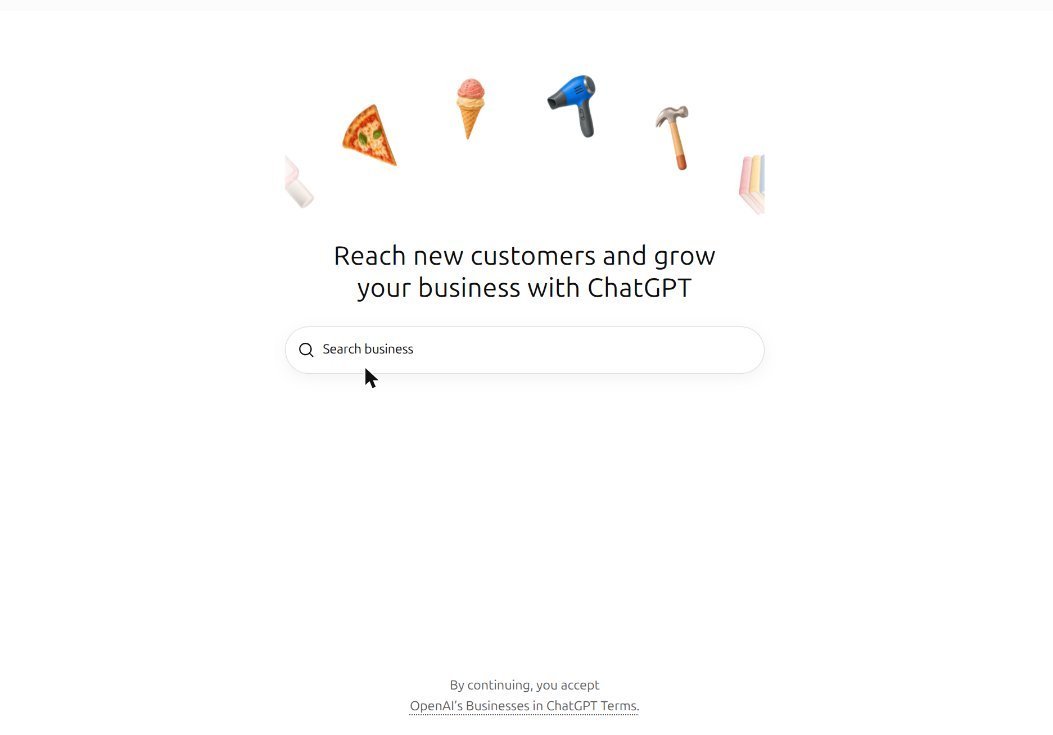
Open ChatGPT Business Hub at chatgpt.com/business-hub while signed in. You will see “Reach new customers and grow your business with ChatGPT” and a search box. Type your business name. Below the box, a line says that by continuing you accept OpenAI’s Businesses in ChatGPT Terms, so read them first if you want to.
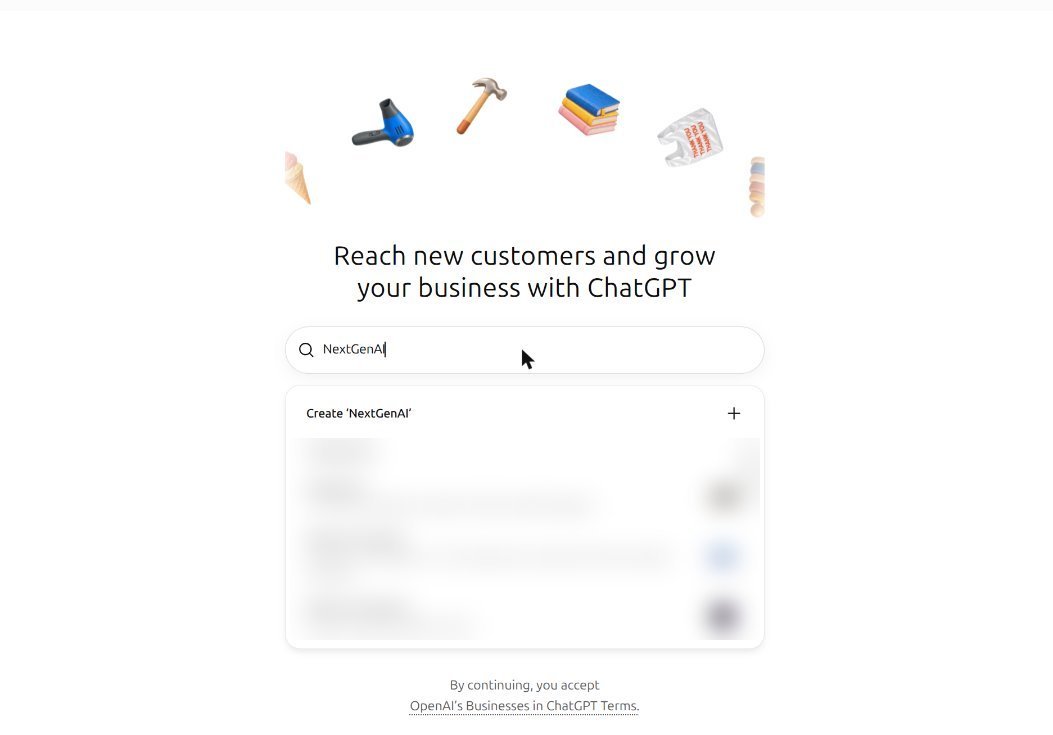
Our search for “NextGenAI” did not find our site. It showed a Create ‘NextGenAI’ option at the top, followed by several other companies with similar names. Pick yours if it is listed. If you see Contact support instead, OpenAI says the listing is locked and you need to ask support for access.
Step 2: Start the claim
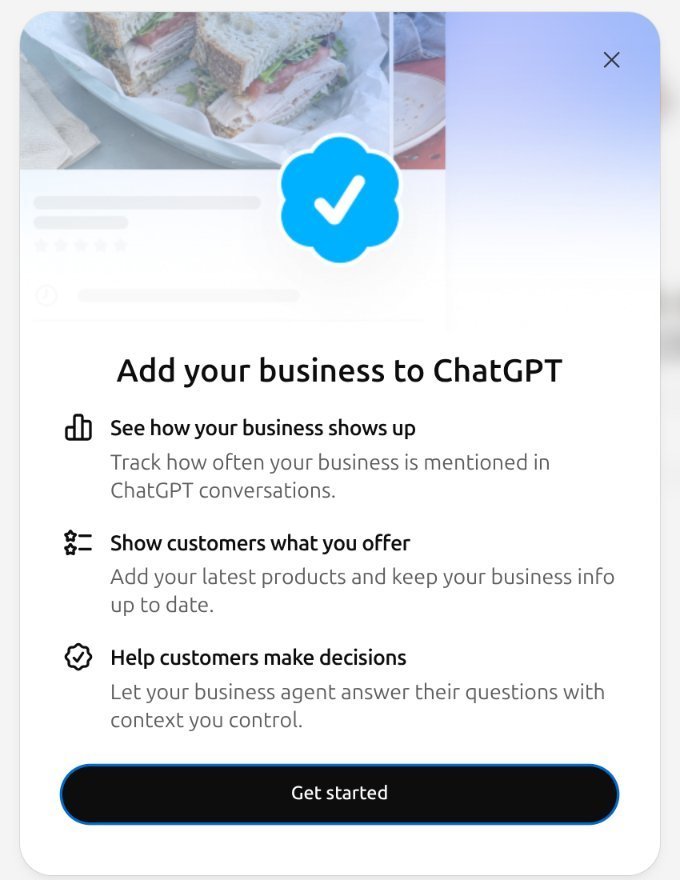
Choosing Create opened an “Add your business to ChatGPT” window listing three benefits: see how your business shows up, show customers what you offer, and help customers make decisions with a business agent. Click Get started.
Step 3: Choose how customers reach you
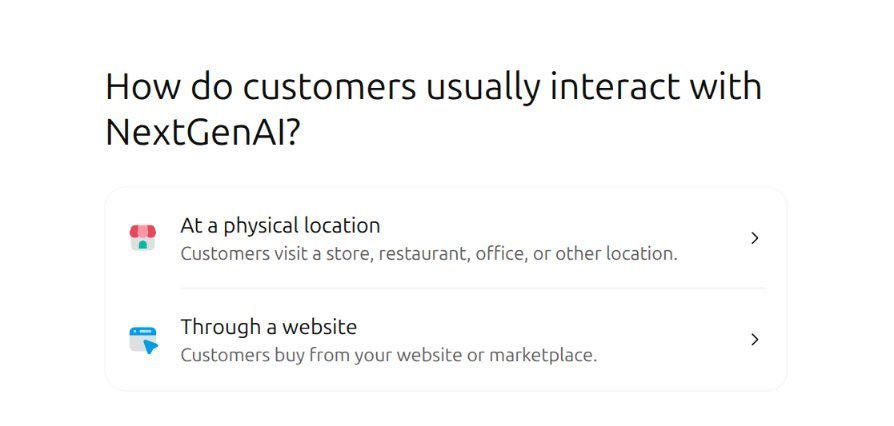
The next screen asked “How do customers usually interact with NextGenAI?” with two choices:
- At a physical location: customers visit a store, restaurant, office or other location.
- Through a website: customers buy from your website or marketplace.
We chose Through a website, because NextGenAI is an online publication.
Step 4: Add your website
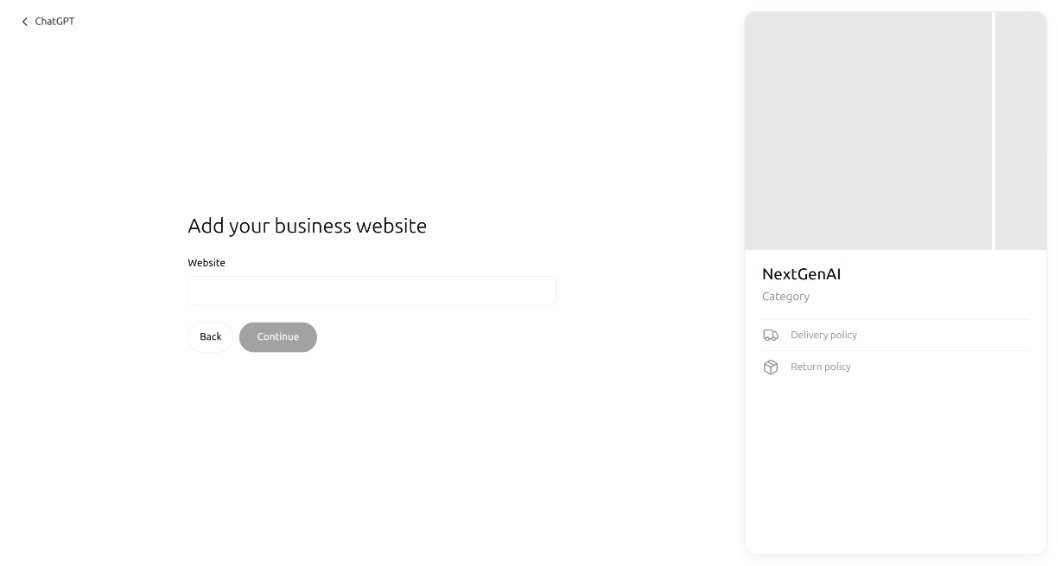
Next came “Add your business website”, with a single Website box. A preview of the profile appeared on the right, showing the name, a Category line, and spaces for delivery and return policies. When we entered our address, it appeared in the preview straight away.
Step 5: Verify that you control your domain
After we clicked Continue, ChatGPT asked us to “Verify that you control thenextgenai.com” by adding a TXT record to the domain’s DNS settings. It showed three values to copy:
- Type: TXT
- Name or host: openai-business-profile
- Value: a long code starting with
openai-business-profile=, unique to your claim
The screen said the record expires about 24 hours after it was created, so add it promptly. Then return and click Verify domain. This is where we stopped.
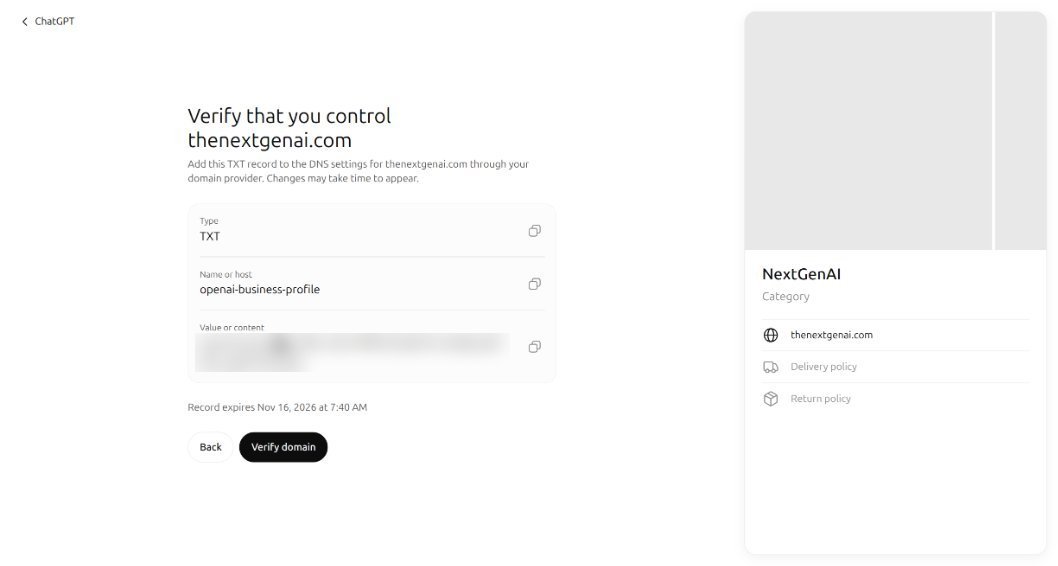
How to add the TXT record: log in to the company that manages your domain (for example your hosting provider or domain registrar), open the DNS settings for your domain, add a new TXT record, and paste the name and value exactly. If someone else manages your domain, send them the three values. OpenAI notes that DNS changes may take time to appear.
Step 6: Wait for OpenAI to review your claim
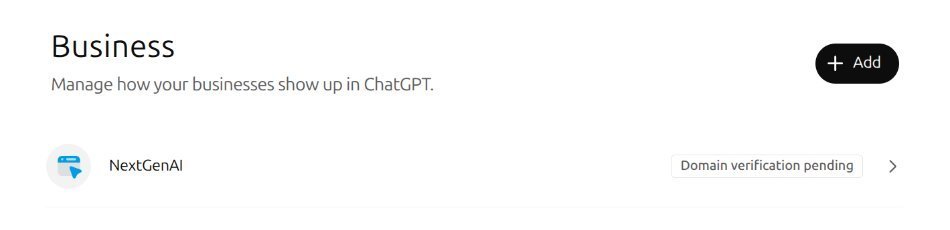
When we went back to ChatGPT Business Hub, it had changed into a Business page saying “Manage how your businesses show up in ChatGPT”, with an Add button and our entry marked Domain verification pending. So even stopping before verification creates a draft. OpenAI’s help page says that once verification is done, it reviews the claim and emails you a decision or asks for more information.
Which verification methods does ChatGPT offer?
OpenAI lists four ways to verify a claim in ChatGPT Business Hub. Which ones you see depends on your business.
| Method | How it works | What we saw |
|---|---|---|
| Business phone | A code by text message or automated call to the number on the listing | Not offered for our new website listing |
| Business email | A code sent to the email linked to the business | Not offered for our new website listing |
| Website domain | Add a TXT record to your DNS, then click Verify domain | The only option shown |
| Shopify store | Connect and log in to your Shopify store | Not applicable to us |
What happens after your claim is approved?
In ChatGPT Business Hub, approval of the claim is only the first stage. OpenAI’s help page says you then need to complete identity verification with Persona, a third-party identity service, before you can publish changes, view insights or create an agent. Persona may ask for government ID, business registration details and proof that you can represent the business.
- Verified badge: claiming alone does not give you the blue check. It appears after Persona verification is approved.
- Your profile: you can update your website, description, category, logo, delivery and return policies, and add a cover photo. OpenAI reviews changes before they appear.
- Product feed: sellers can upload a CSV feed or connect Shopify to share prices and availability.
- Teammates: the admin who claimed the business can add teammates and give an agency access.
One important warning from the help page: if you create a new profile through Persona, OpenAI’s approval publishes it automatically, with no separate publish step. Only unpublished drafts can be deleted, and OpenAI Support cannot delete or hide a published profile. Make sure your details are right before you finish.
What insights does ChatGPT Business Hub show?
After approval, the Insights section of ChatGPT Business Hub shows activity over the past 28 days:
- Mentions: for an online business, a mention counts when ChatGPT references your website. Your brand name alone does not count. For a local business, it counts when ChatGPT shows a result for your location.
- Website clicks: how often people click through to your site.
- Discovery topics: common themes in answers that mentioned or cited you.
You never see individual prompts or customer chats, and a blank number does not always mean zero. OpenAI says it can mean activity has not reached the reporting threshold yet. If you are thinking about how AI answers affect your traffic, our guide on Google’s AI Overviews covers the same shift happening in Google Search.
Will claiming your business make ChatGPT recommend you more?
Not directly. OpenAI’s help page says claiming lets you manage the information you provide, but “doesn’t guarantee increased visibility” or give you control over ChatGPT’s independent recommendations. It also says advertising does not influence ChatGPT’s independent answers. Sponsored Business Agents can appear as clearly labelled ads, but that is a separate, paid route.
The real benefit of ChatGPT Business Hub is accuracy. If ChatGPT is going to talk about your business anyway, Business Hub is your chance to make sure the website, category, policies and products it uses are correct, and to see the numbers.
ChatGPT Business Hub agents: only in the US for now
Business Agents let customers chat with your business inside ChatGPT, answering questions from your product details and policies. They are clearly labelled and kept separate from ChatGPT’s own answers. OpenAI says they cannot take payments, make bookings or check orders. They explain your products and link to your website. For now they are limited to eligible US ecommerce and online service businesses, so UK businesses can claim a profile but not yet publish an agent.
Is ChatGPT Business Hub worth it for a small business?
For most businesses with a website, we think it is worth claiming your profile, as long as you go in with the right expectations.
In favour: it costs nothing to claim, the sign-up is short, and it is the only official way to correct what ChatGPT says about your business. The insights also give you a first look at how often ChatGPT points people to your site, which most analytics tools cannot show you.
Against: ChatGPT Business Hub is still a beta, the full set of features needs Persona identity checks with official documents, it does not promise more recommendations, and UK businesses cannot publish a Business Agent yet. A profile you publish also cannot simply be removed later.
Our view: claim it if you already have a website you can verify and the documents to hand, and keep your details current. Do not expect it to replace your SEO or your Google Business Profile.
Common mistakes when claiming your business on ChatGPT
- Going to the wrong page. chatgpt.com/business is the paid team plan. You want chatgpt.com/business-hub.
- Letting the DNS record expire. Our record expired after about 24 hours. Add it the same day.
- Mistyping the TXT record. Copy the name and value exactly, with the copy buttons on screen.
- Expecting the blue check straight away. It only appears after Persona verification is approved.
- Rushing a new profile. A profile created through Persona publishes automatically on approval and cannot simply be deleted afterwards.
- Using a shared login. OpenAI says teammates and agencies should each use their own ChatGPT account.
ChatGPT Business Hub FAQ
Is ChatGPT Business Hub free?
We saw no charge anywhere in the ChatGPT Business Hub sign-up, and OpenAI’s announcement mentions no fee for claiming. Advertising and sponsored agents are separate.
Can I use ChatGPT Business Hub in the UK?
Yes, for claiming a profile. We reached the verification step from a UK account. Business Agents are currently US only.
Do I need a paid ChatGPT plan to use ChatGPT Business Hub?
We tested on Plus. OpenAI’s help page says you need to sign in to ChatGPT, but does not say a paid plan is required. You do not need an Ads account or an Enterprise agreement.
How long does ChatGPT Business Hub approval take?
OpenAI says review time varies and it emails you its decision or a request for more information.
Can I delete my business from ChatGPT?
Only an unpublished draft. OpenAI says support cannot delete, unpublish or hide a published profile.
What if someone else has already claimed my business?
Open its profile, use the more options menu and choose Dispute ownership, then verify with Persona that you are authorised to represent it.
Key takeaways
- ChatGPT Business Hub is a free beta at chatgpt.com/business-hub for claiming your business in ChatGPT.
- We reached the verification step from the UK in a few minutes.
- For a website business, verification meant adding a DNS TXT record that expires after about a day.
- Claiming does not guarantee more ChatGPT recommendations, but it lets you correct your details and see mentions and clicks.
- Persona identity checks unlock editing, insights and the blue badge. Published profiles cannot simply be deleted.
How we tested and what we checked
We tested on 15 November 2026 in Chrome on a desktop computer, signed in to a ChatGPT Plus account in the UK. We opened ChatGPT Business Hub, searched for NextGenAI, chose Create, picked Through a website, entered thenextgenai.com and reached the domain verification screen. We did not add the DNS record, verify, submit a claim or use Persona, so everything after that step comes from OpenAI’s announcement and help page, opened in full on 15 November 2026.
Our unfinished claim remained as a draft marked Domain verification pending. Business Hub is a beta, so the screens, options and countries may change.